Help ·
Read and listen to the Quran offline
On a plane, underground or somewhere with no signal, you can still read and listen to the Quran with Global Quran. Save the surahs you want, or the whole Quran, and they work with no internet: the Arabic, your translation, the mushaf fonts and, if you choose, the recitation. It is free and works in the browser as well as in the apps.
Save one surah
- Open the surah, for example Al-Kahf or Ya-Sin.
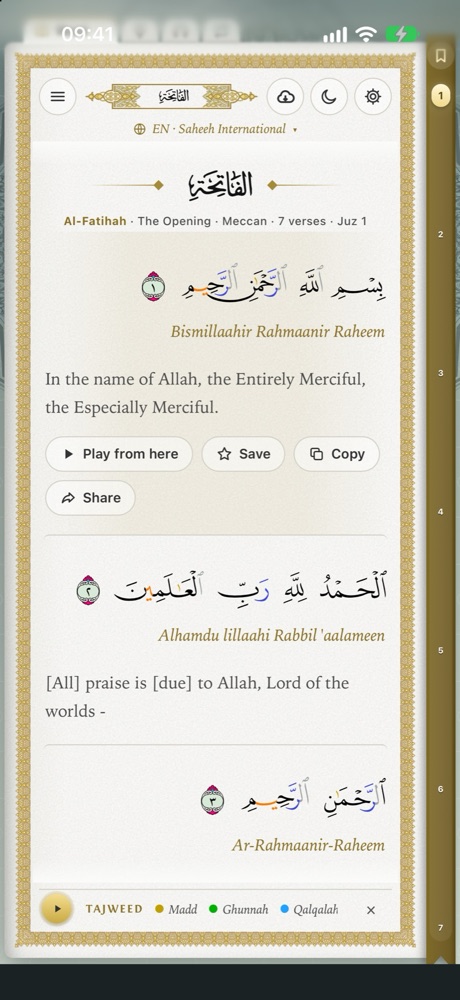
- Tap the cloud button in the page header, next to the surah's name.
- The first time, choose Read only (text and fonts) or Read and listen (with the recitation too). You are asked once; change it later in the library.
A ring with a percentage shows the download; a gold check means the surah is ready offline.
Save the whole Quran, or several surahs
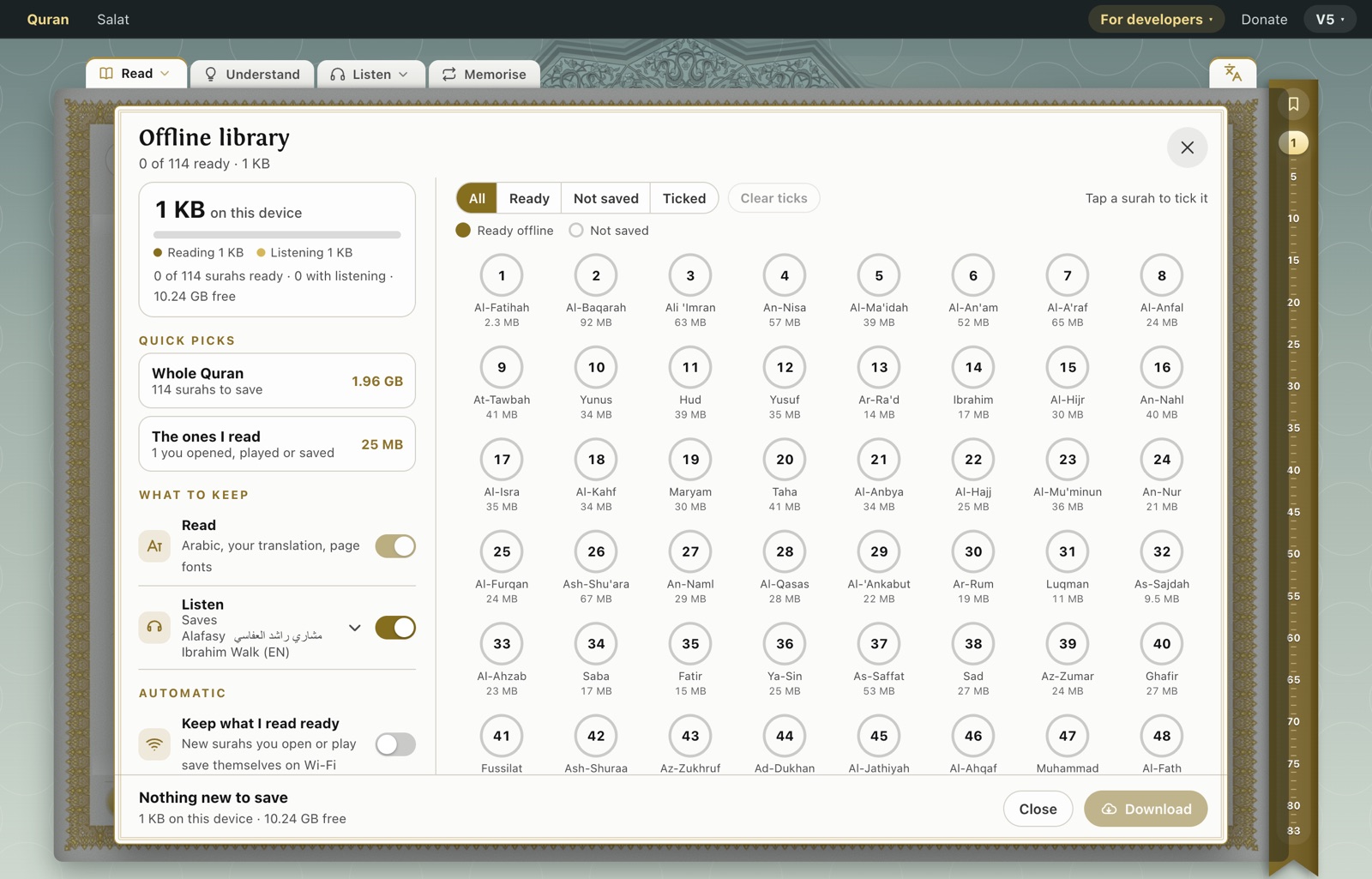
Open the Offline library from the sidebar ("Manage", next to how many surahs are ready). There you can:
- Tap surahs to tick them, then press Download.
- Use the quick picks: Whole Quran, or The ones I read (surahs you opened, played or saved).
- See the size of each surah and the total before anything downloads, and how much space is free on the device.
- Turn on Keep what I read ready, so surahs you read save themselves on Wi-Fi (it is off by default, and never uses mobile data).
Which voices are saved?
The library saves the reciter and the translation voice you are using in the player. To save a different reciter, use Change voices in the library's Listen row; every voice is listed in English and in its own language. Old voices stay until you remove them, so switching back costs nothing. If you change your translation later, a banner offers to add it to the surahs you have already saved.
Remove what you no longer need
Each saved surah can be removed from the library. Shared files, such as fonts used by other saved surahs, are kept.
Browser or app?
- In a browser (Chrome, Edge, Firefox, Safari): offline works on any https page of globalquran.com. On iPhone, Safari may clear a website's saved data after about a week without a visit unless the site is added to the Home Screen.
- In the apps: the iPhone, iPad and Mac app and the Android app keep your downloads in the app, so they stay until you remove them. Apple Watch, Vision Pro and Meta Quest have offline saving too.
If you go offline with a surah that is not saved
Global Quran opens the last saved surah you read instead and tells you so. If you were on a surah that is not saved when the connection dropped, Go back returns you to the saved one.
Good surahs to keep with you: Al-Kahf for Fridays, Al-Mulk for the night, and whatever you are memorising.