Apps ·
Global Quran VR: read the Quran in mixed reality on Meta Quest
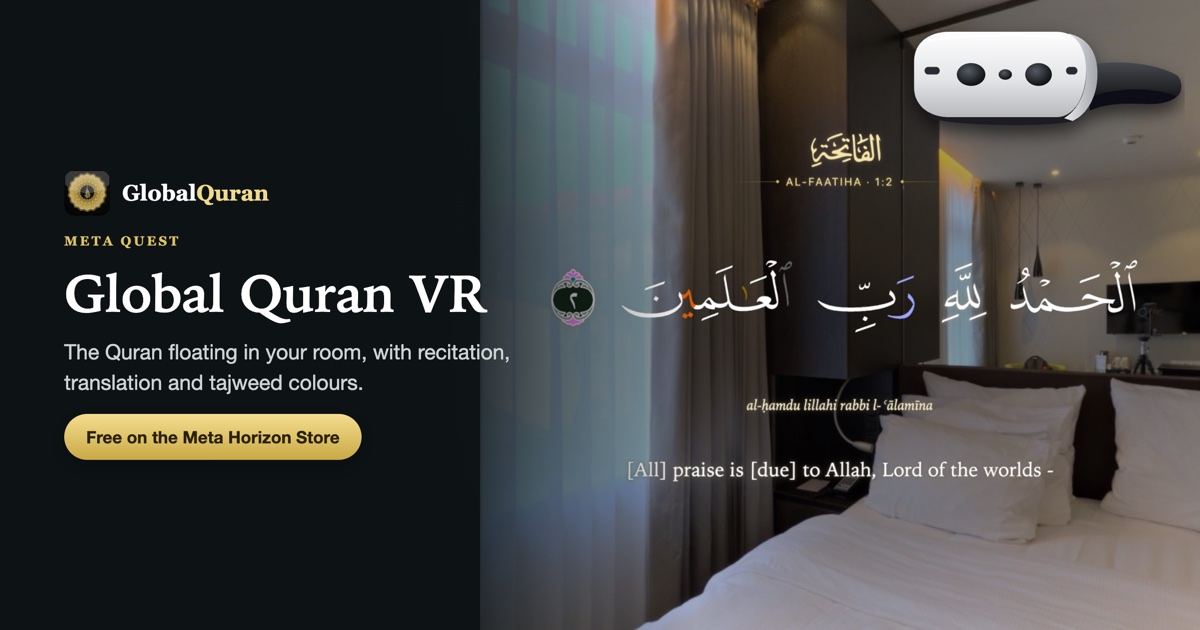
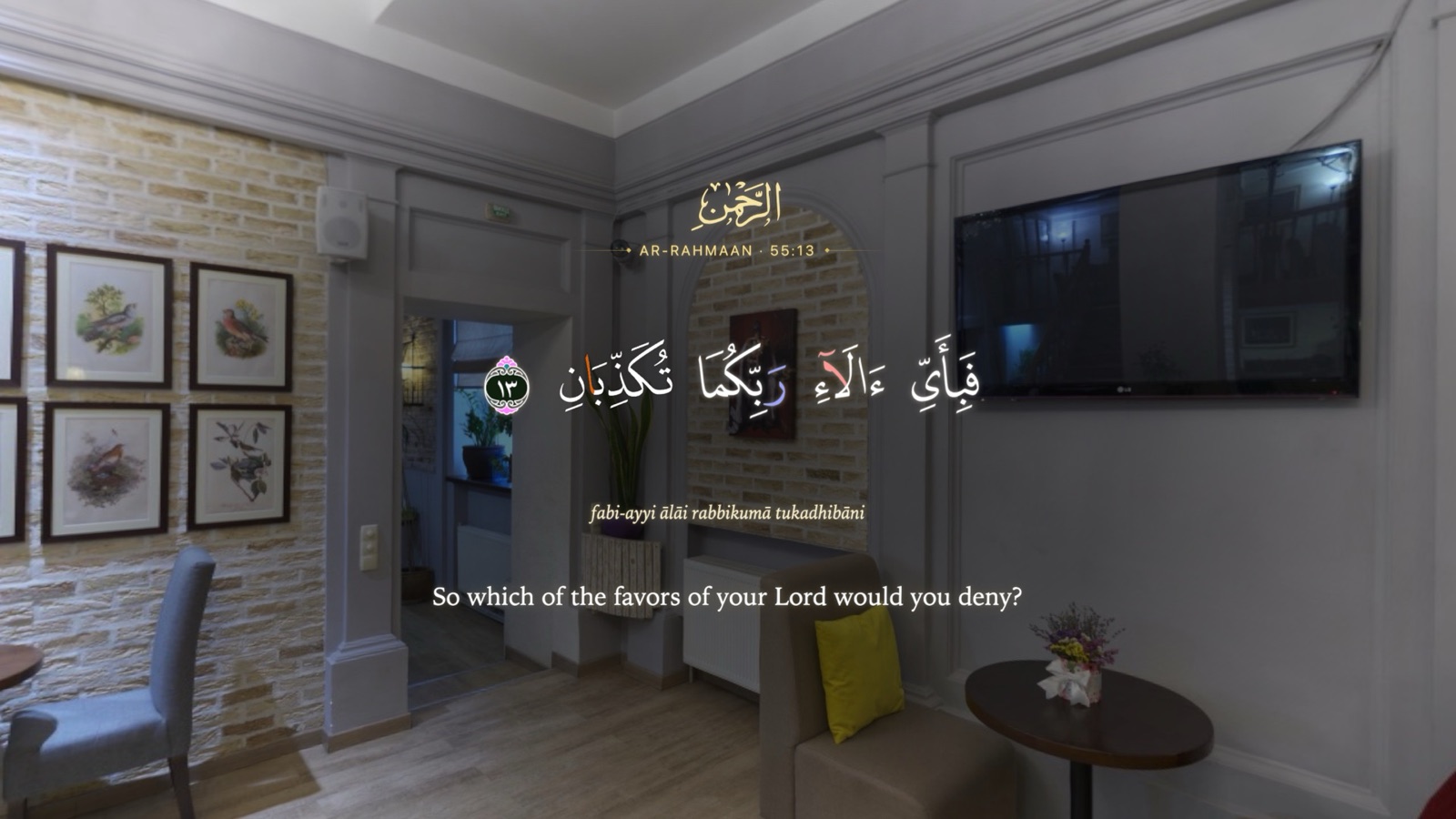
Global Quran VR lets you read, listen to and understand the Quran in your own room. Put on your Meta Quest and the verse floats in front of you in mixed reality: the Arabic with its tajweed colours, the transliteration and the translation, while a reciter of your choice recites it. You control everything with your hands or the controllers.
Get it on the Meta Horizon Store
Price: free, no ads.
Works on: Meta Quest headsets, in mixed reality (your room) or in plain VR.
Account: none needed.
Floating words or a book card
- Floating words (the default): the verse floats with nothing behind it. In mixed reality you see your own room through the headset; the reference sits between two gold rules, and each new verse settles in word by word.
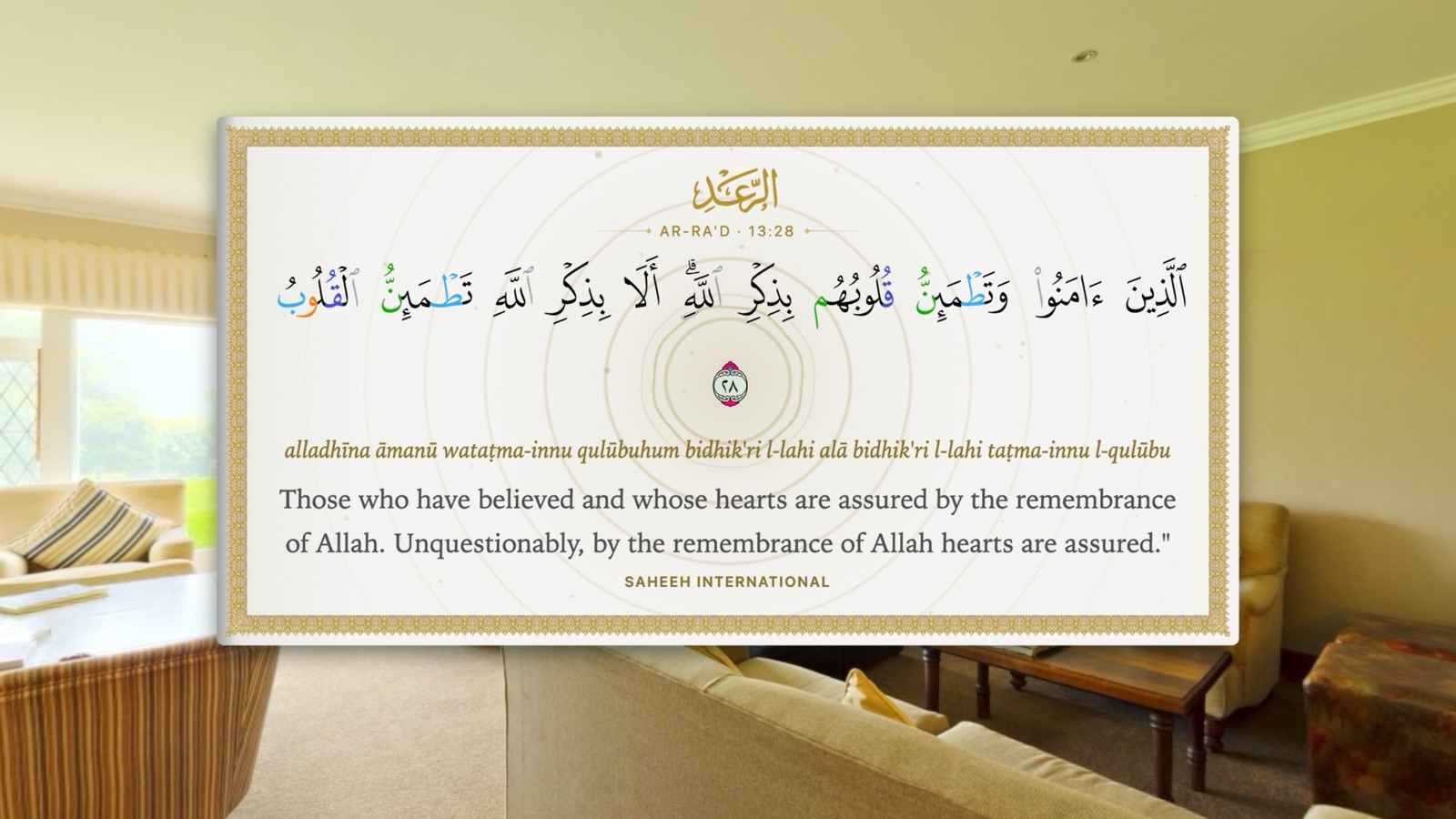
- Book card: the page of the Global Quran reader, in your room. Paper, the golden frame and the surah's name in calligraphy, with the reader's calm Listen animation inside the frame. Day or night.
Listen as you read
The recitation plays verse by verse, and a thin gold bar fills as the reciter goes. Mishary Alafasy is the default; choose any other reciter in Settings, Audio. The translation voice is set to Auto, so it follows your translation's language: an English translation is read by Ibrahim Walk, an Urdu one by the Urdu voice. Switch the voice off if you only want the Arabic.
Languages, translations and recitations
- Translations from Global Quran's library of 96 translations in 41 languages, such as Saheeh International and Yusuf Ali in English, Jalandhry in Urdu, Diyanet in Turkish and Hamidullah in French, with optional transliteration.
- Recitation from Global Quran's verse-by-verse recitations, by reciters such as Mishary Alafasy, Abdul Basit, Mahmoud Khalil al-Husary (including his slow teaching recitation), Muhammad Siddiq al-Minshawi, Abdurrahmaan As-Sudais, Maher Al Muaiqly, Ahmed al-Ajamy and Hudhaify.
- Translation voices after each verse, in English, Urdu, French, Persian, Russian, Chinese, Portuguese, Vietnamese, Somali, Tamil, Tagalog, Azerbaijani and Assamese.
Simple controls
Look down and a strip of seven buttons is there: previous, play, next, what a tap on the verse does, floating words or book card, share and settings. After a few seconds it tucks away and leaves a small chevron, so nothing sits between you and the verse.
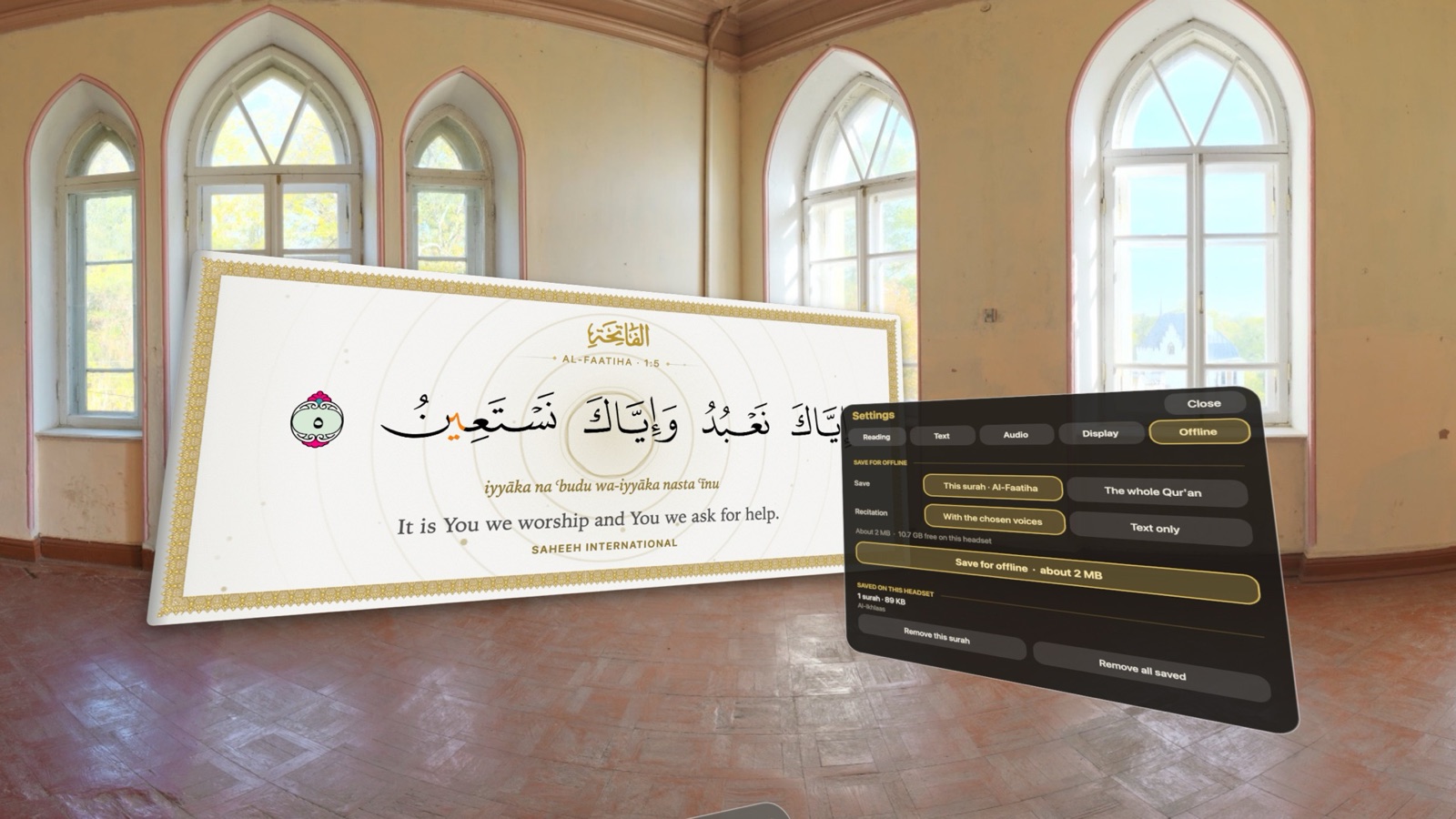
Settings
- Reading: go to any surah or verse, and choose what a tap on the verse does.
- Text: show the Arabic, the transliteration and the translation, in any combination; the Arabic font (Madani mushaf or Amiri Quran); tajweed colours with the full colour key.
- Audio: the Arabic reciter and the translation voice.
- Display: floating words or book card, day or night, the glow behind the words, and how dim your room is in mixed reality.
- Offline: keep surahs, or the whole Quran, on the headset.
Share a verse with your phone
The share button shows the verse with a QR code. Scan it with your phone and the same verse opens on globalquran.com, ready to send to someone.
Also on Apple Vision Pro
Global Quran Vision brings the same idea to Apple Vision Pro, with an immersive view of the Kaaba. On a phone or computer, see how to listen to the Quran online.