Help ·
Save verses and pick up where you left off on every device
You never need an account to read on Global Quran. Saved verses, the place where you stopped and your settings are kept on your device from the start. Signing in is only for one thing: having them on every device, so you can stop on your phone and carry on on your computer.
Save a verse
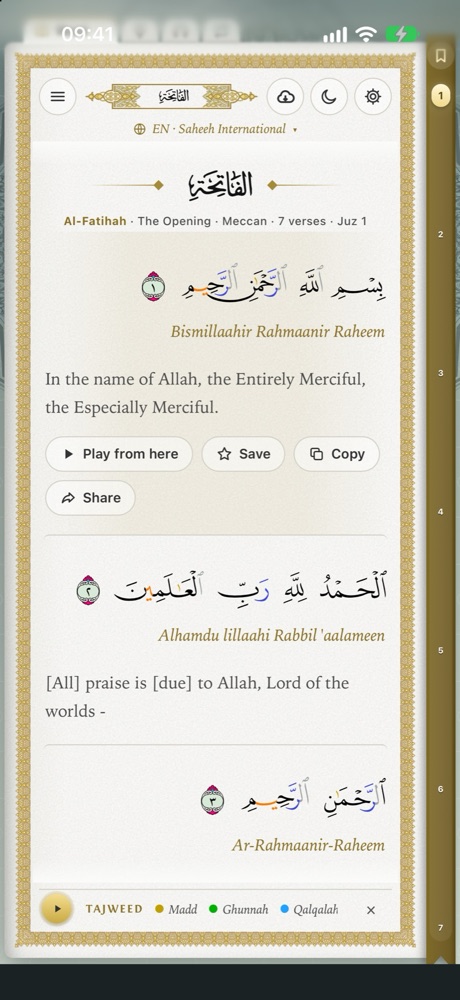
- Tap a verse to open its actions.
- Press Save. (On a computer, press B.)
Your saved verses are in the sidebar's Saved tab. Play saved ayahs plays them one after another: a handy list for revision, or of verses you want to come back to. Press Save again to remove a verse.
Sign in (optional)
After you save a verse, a small card offers to keep it on every device. Sign in with Google, Apple or email. From then on Global Quran keeps these in step:
- Saved verses, added or removed on any device.
- Your place: open Global Quran anywhere and it shows where you last were, reading or listening.
- Settings such as your translations, reciters, theme and text size.
Signing out keeps everything on the device. You can delete your account and its data from Settings.
On the watch and the TV
The Apple Watch and Apple TV apps have no keyboard worth typing a password on, so they show a short code. Type it at globalquran.com/watch on your phone or computer, and your place and listening settings come across.
In the apps
The iPhone, iPad and Mac and Android apps sign in through your phone's own browser, so the app never sees your password. "Delete account" is next to "Sign out" in Settings.
Privacy
Only what is needed to keep these in step is stored: your name and email, your saved verses, your place and the settings listed above. Read the full privacy policy.
See also: reading the Quran offline and keyboard shortcuts.