Guides ·
How to listen to the Quran online: recitation with translation
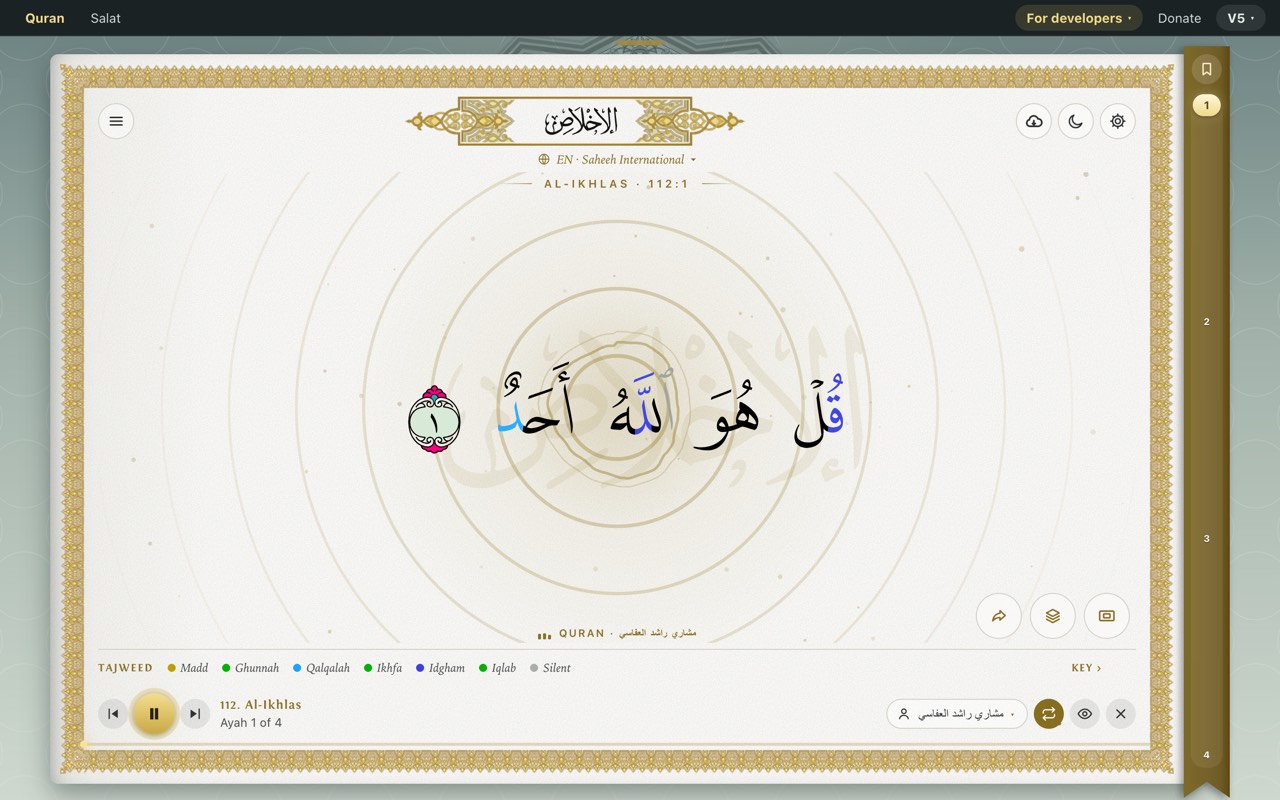
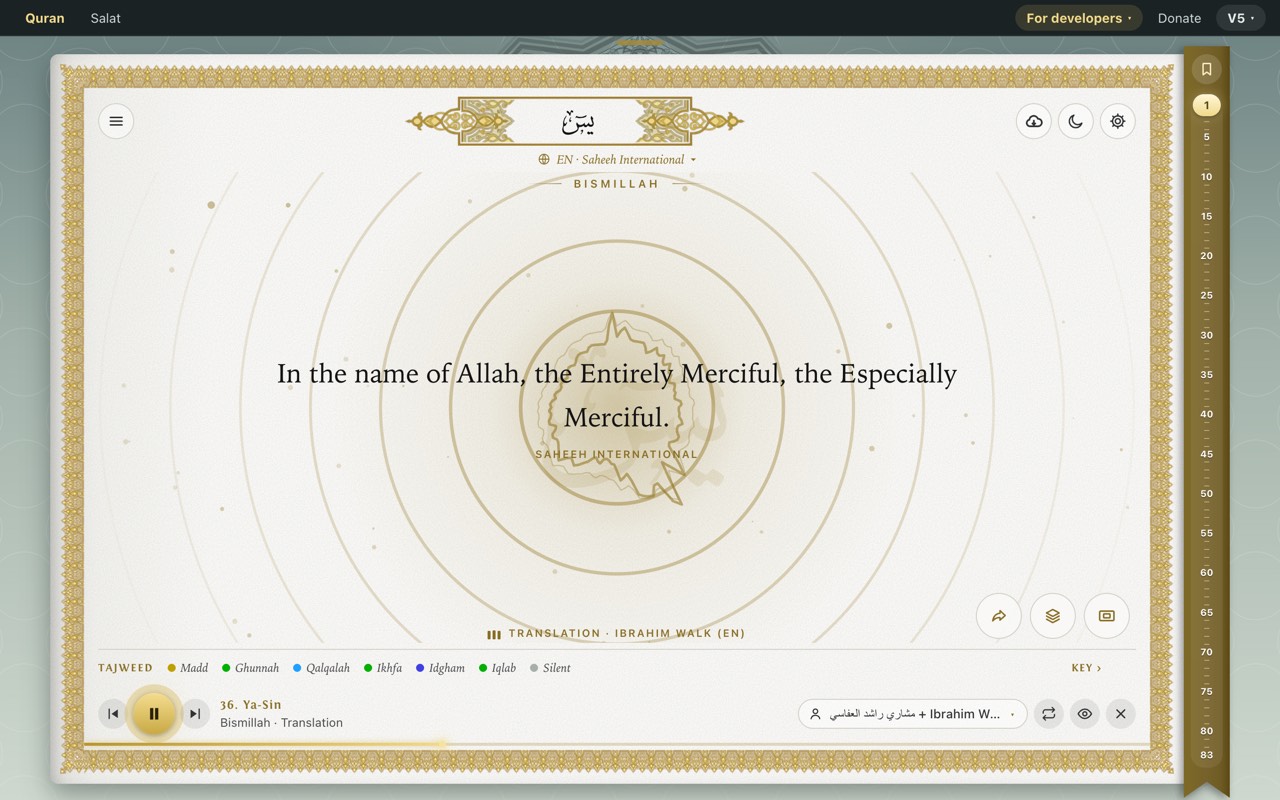
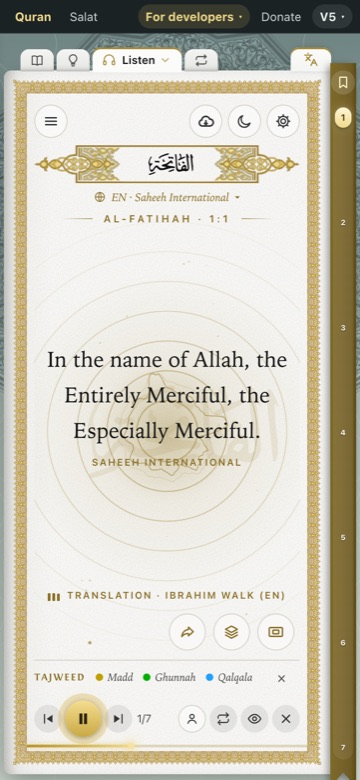
The Listen tab on Global Quran turns the page into a quiet stage: the verse being recited is shown large in the middle, and the recitation carries on from verse to verse and from surah to surah. You can listen to the Arabic alone, or hear each verse followed by its meaning in your language. It is free and needs no account.
Start listening
- Open globalquran.com and go to the surah you want (for example Ya-Sin, Al-Kahf or Al-Mulk).
- Tap the Listen tab on the book and pick one of three choices:
- Recitation: the Arabic recitation only.
- Recitation with translation: each verse in Arabic, then the same verse read in your language.
- Translation only: just the spoken translation (if there is no recording in your language, you hear the recitation).
- The recitation starts. Tap anywhere on the stage, or press Space, to pause and carry on.
Already reading? Tap a verse and press Play from here, or use the play button at the bottom of the page.
Choose your reciter
Tap the voices button in the player (it shows the reciter's name). There are more than 160 Quran reciters, each named in English and in Arabic, with a search box. Among them:
- Mishary Rashid Alafasy
- Abdul Basit Abdus-Samad (murattal and mujawwad)
- Mahmoud Khalil al-Husary, including the muallim teaching recitation
- Muhammad Siddiq al-Minshawi (murattal and mujawwad)
- Saud ash-Shuraim, Maher al-Muaiqly, Abu Bakr ash-Shatri, Ahmed al-Ajmi, Saad al-Ghamdi and many more
- Recitations in other qira'at, such as Warsh and Qaloon
Spoken translations come in 14 languages: English, Urdu, Farsi, French, Chinese, Russian, Portuguese, Azerbaijani, Assamese, Burmese, Somali, Tamil, Tagalog and Vietnamese.
While it plays
- Speed: 0.75×, 1×, 1.25× or 1.5× (the < and > keys on a computer).
- Repeat: repeat the current verse, or the whole surah. Press R or the repeat button.
- Keeps going: at the end of a surah the next one begins, so you can listen to the whole Quran in one go.
- Screen stays on while the Listen view is playing, so you can read along without the phone going dark.
- Focus and full screen: the button in the corner of the stage hides everything but the verse. Good for a television or a projector in a class or masjid.
- The eye button in the player switches between Listen and your reading view without stopping the audio.
- Share: the share button on the stage sends a link that opens the same verse with the same reciter and translation voice, ready to play.
Listen without internet
Tap the cloud button next to the surah name to keep a surah on your device, with its recitation. Choose "Read and listen" the first time and the audio is saved with the text. In the Offline library you can save the whole Quran, or only the surahs you read. The iPhone, iPad and Mac app and the Android app do the same and keep the files more reliably than a browser.
Listen on your watch or headset
Global Quran is also on the Apple Watch, for listening from your wrist, and on Apple Vision Pro, where the verses float in your room while the recitation plays.
Why listen while you read
Hearing a trained reciter is the surest way to learn how each word sounds, where to pause and how long to stretch a letter. The Quran itself speaks of measured recitation:
أَوْ زِدْ عَلَيْهِ وَرَتِّلِ الْقُرْآنَ تَرْتِيلًا
"Or add to it, and recite the Qur'an with measured recitation." (Surah Al-Muzzammil, 73:4, Saheeh International)
Next: memorise the Quran with verse repeat, or open Global Quran and press Listen.