Developers ·
Embed the Quran on your website: the full reader or a single verse
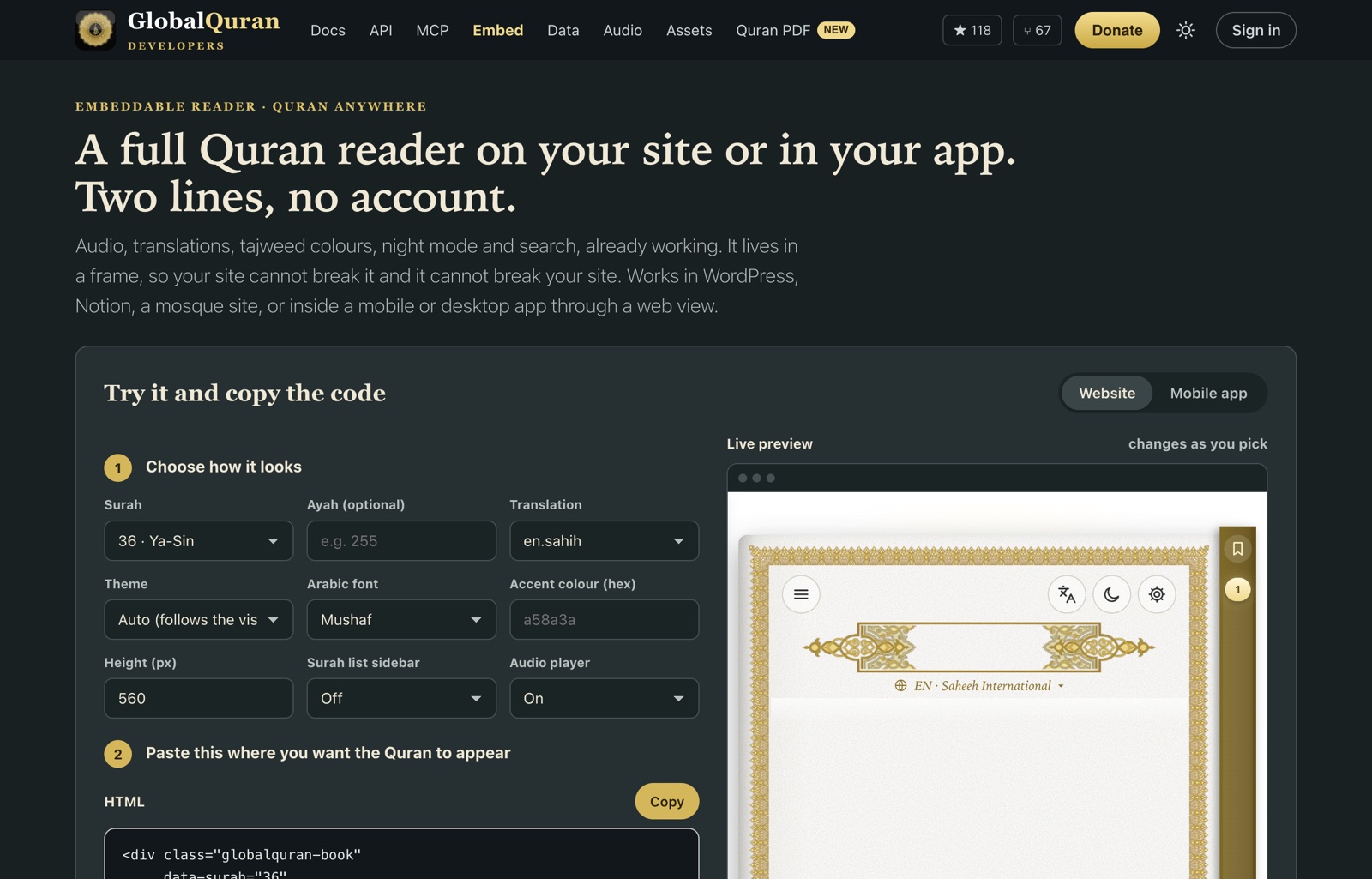
You do not need to build a Quran reader to have one on your site. With two lines of HTML, the full Global Quran reader runs inside your page: the Arabic with tajweed colours, translations, recitation, night mode and search, already working. For a single verse there is the verse card, a picture of the ayah in the mushaf script with its translation, that you can paste anywhere.
The full reader in two lines
<div class="globalquran-book"
     data-surah="36"
     data-translation="en.sahih"></div>
<script src="https://globalquran.com/embed.js" async></script>
That shows Surah Ya-Sin with the Saheeh International translation. The reader lives in a frame, so your site's styles cannot break it and it cannot break your site. Options you can set in the builder:
data-surahanddata-ayah: where it opens.data-translation: one or more translations, separated by commas (leave empty for the Arabic only).data-theme: day or night (it follows the visitor's device if you leave it out).data-font: the Madani mushaf font (default) or a simpler Arabic font.data-accent: your own accent colour.data-sidebar,data-player,data-height: show the surah list, hide the audio player, set the height.
No key is needed to start. Add data-api-key when you have one (it is free: see the Quran API).
It works in WordPress, Wix, Notion, a mosque's website or a React app, and inside iOS and Android apps through a web view.
One verse: the verse card
Pick a verse and a translation in the builder and copy the card. It is the same card the Global Quran reader shares: the mushaf script with tajweed colours, the golden frame and the translation underneath.
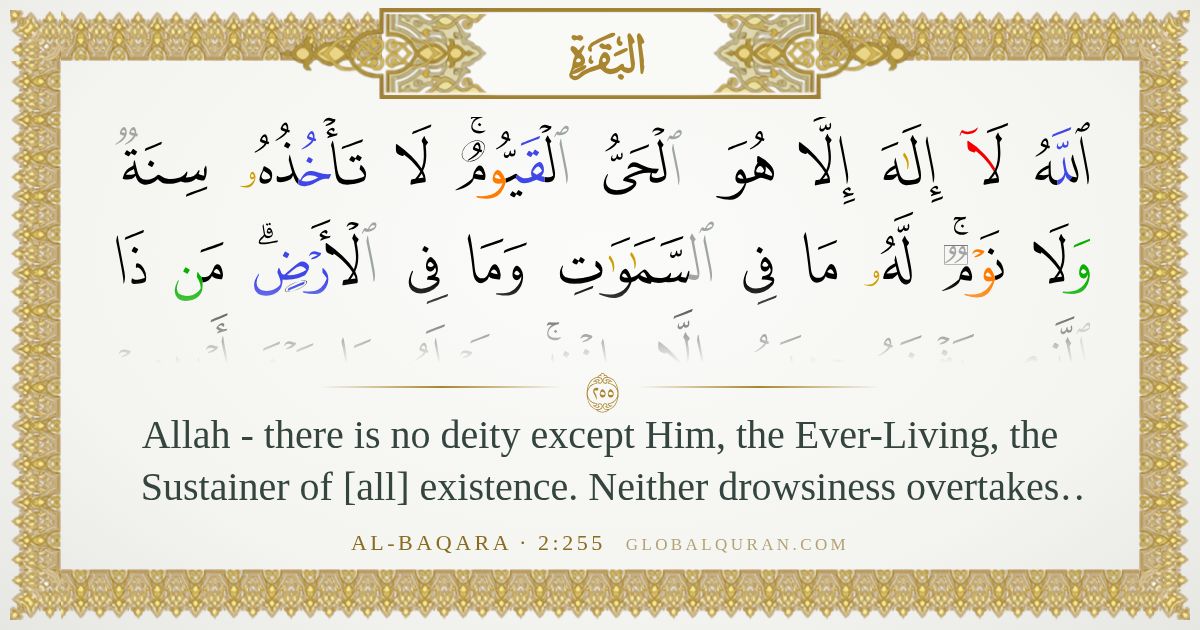
The card comes in several forms, so it fits wherever you write:
- HTML: the picture, linking to the verse on globalquran.com.
- Markdown: for READMEs, forums, Notion and chat tools.
- Link: share the address and chat apps show the card as the preview.
- Image: the picture on its own, for a post, a slide or a message.
<a href="https://globalquran.com/2:255?t=en.sahih&m=both" target="_blank" rel="noopener">
  <img src="https://globalquran.com/card/2-255.jpg?t=en.sahih&m=both" alt="Al-Baqarah 2:255" style="max-width:100%;height:auto">
</a>
Host the reader yourself
The whole reader is a folder of static files, open source on GitHub: no build step and no server code.
git clone https://github.com/GlobalQuran/quran-anywhere
cd quran-anywhere
python3 -m http.server 8765
Rather design your own screens?
Use the Global Quran API and build everything yourself. Need prayer times on the same site? Add the MuslimSalat prayer times widget and the Qibla compass.